Quads these days generally use ExpressLRS (ELRS) for communication between the transmitter and the receiver, although other protocols such as crossfire (CRSF) do exist. With ELRS, to prevent your controller binding to another remote pilots in the area, you can configure a "Binding phrase".
It's important to note that your bind phrase is not a security feature, although you will often hear people refer to it as a "password" or security feature. It is simply a convenience to simplify binding and prevent your transmitter unintentionally binding to someone else's quad. Now there are secure alternatives to ELRS that do have bind security, but these are outside of the scope of this article. To quote ExpressLRS themselves:
"We recommend using a unique phrase with at least 8 alpha-numeric characters. The best candidate is your Pilot Handle. This phrase need not be complicated or super-secret as it isn't a password or encryption key."
So should you set up a bind phrase? Yes, definitely. When you set a bind phrase, this is hashed into 6 bytes called a Binding UID, but you do not need to remember this UID. As long as you supply the same Binding Phrase, the same UID will be generated each time.
To configure a Binding Phrase, you need to set the same phrase on both your receivers (your quads) and your transmitters - and the process is very slightly different on each.
Setting the Bind Phrase on your Transmitter
The process to configure the Bind Phrase is very similar on any transmitter that runs EdgeTX. First of all you need to select: SYS → ExpressLRS → WiFi Connectivity → Enable WiFi. The transmitter will then just say "WiFi Running... [X]".
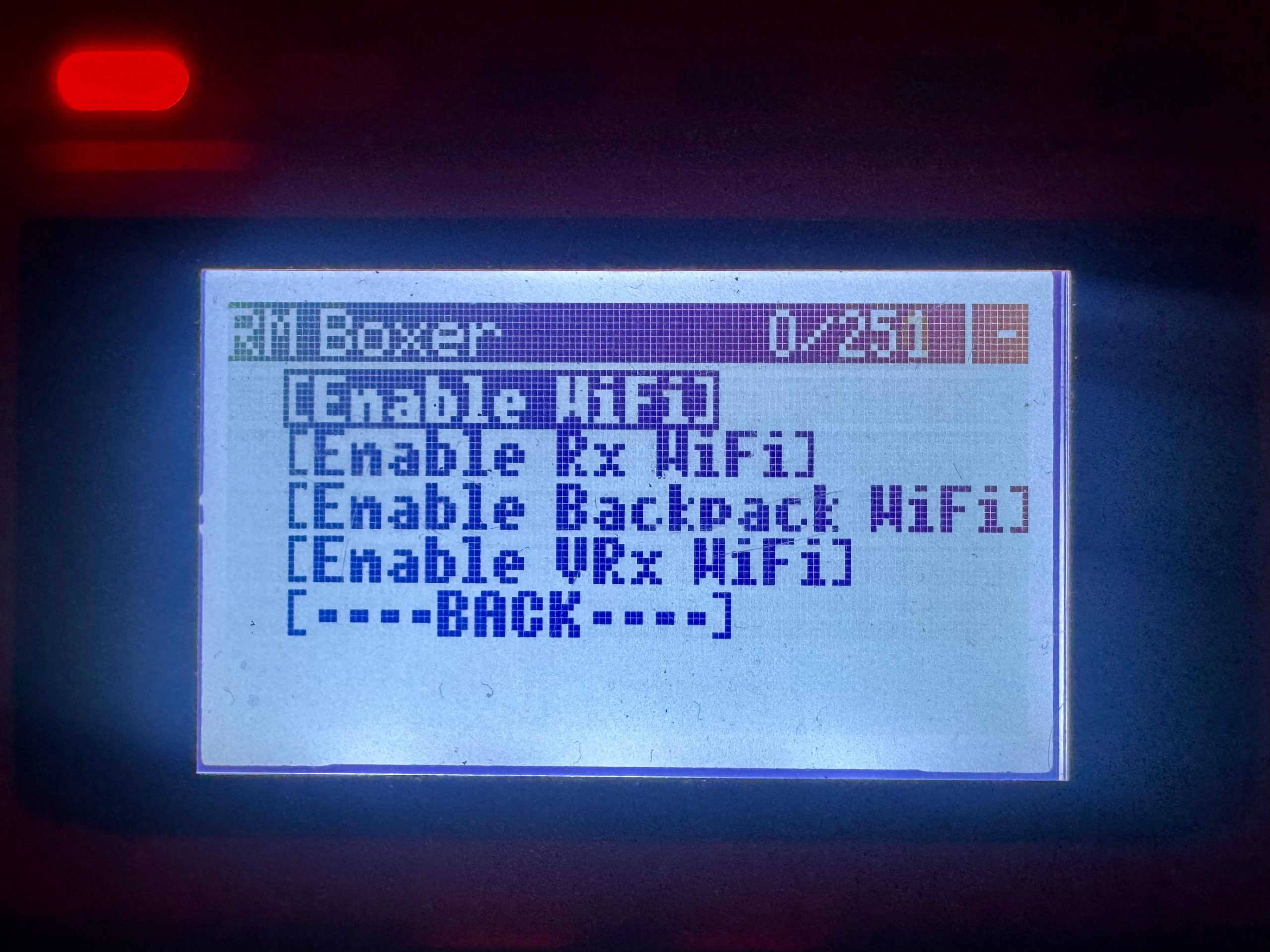
Once WiFi is running, you can connect to the transmitter from your laptop (or mobile phone!) as a new WiFi network will be available "ExpressLRS TX" - the default password is "expresslrs". When you connect to this WiFi network your browser should open automatically and take you to: http://10.0.0.1/ but it might not, so navigate there manually if it doesn't.
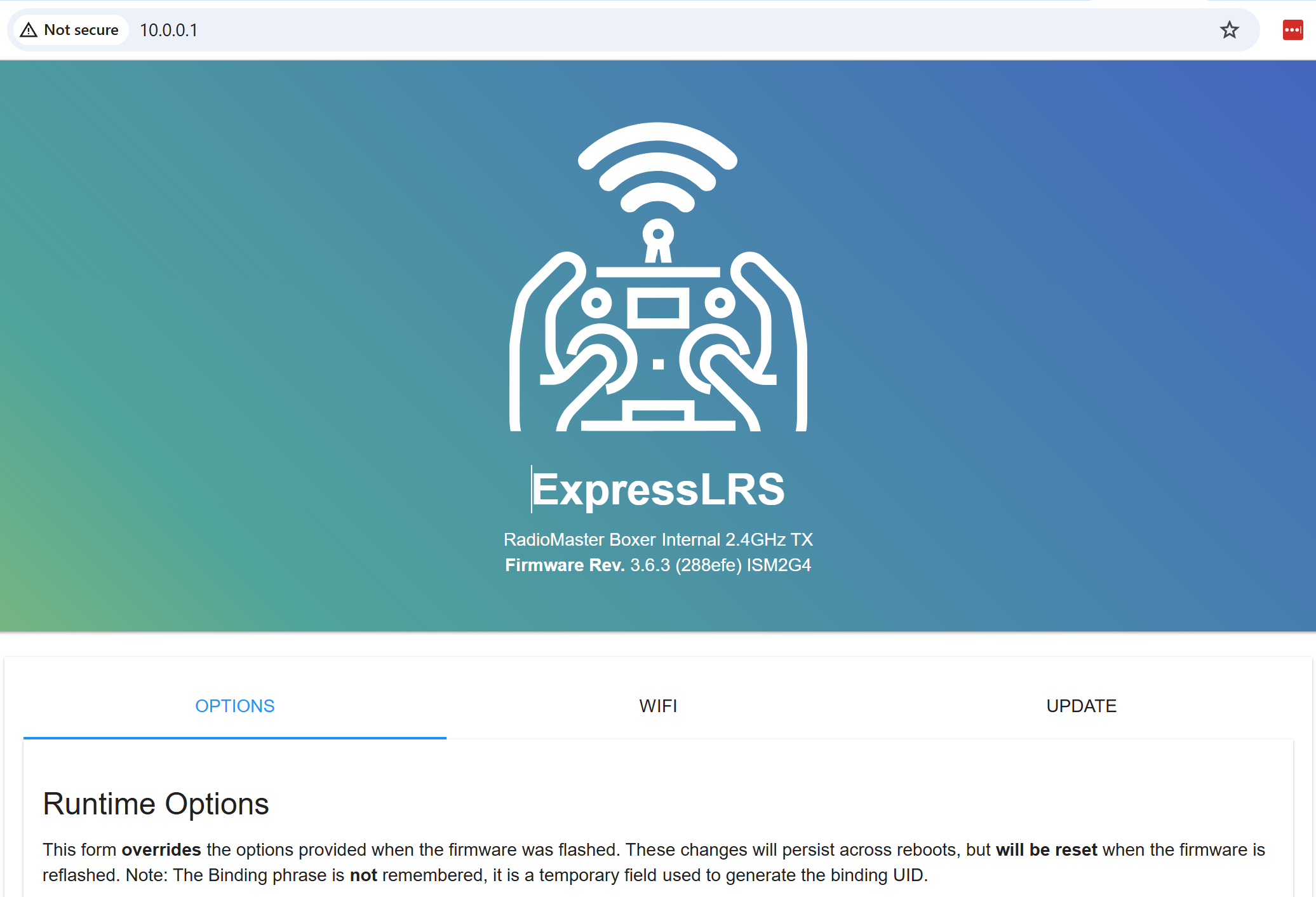
ELRS 3.x
When you first connect you will be played on the "Model" tab, which is the correct tab for specifying a Binding Phrase. Simply scroll down, type your chosen phrase in the box and don't forget to click save.
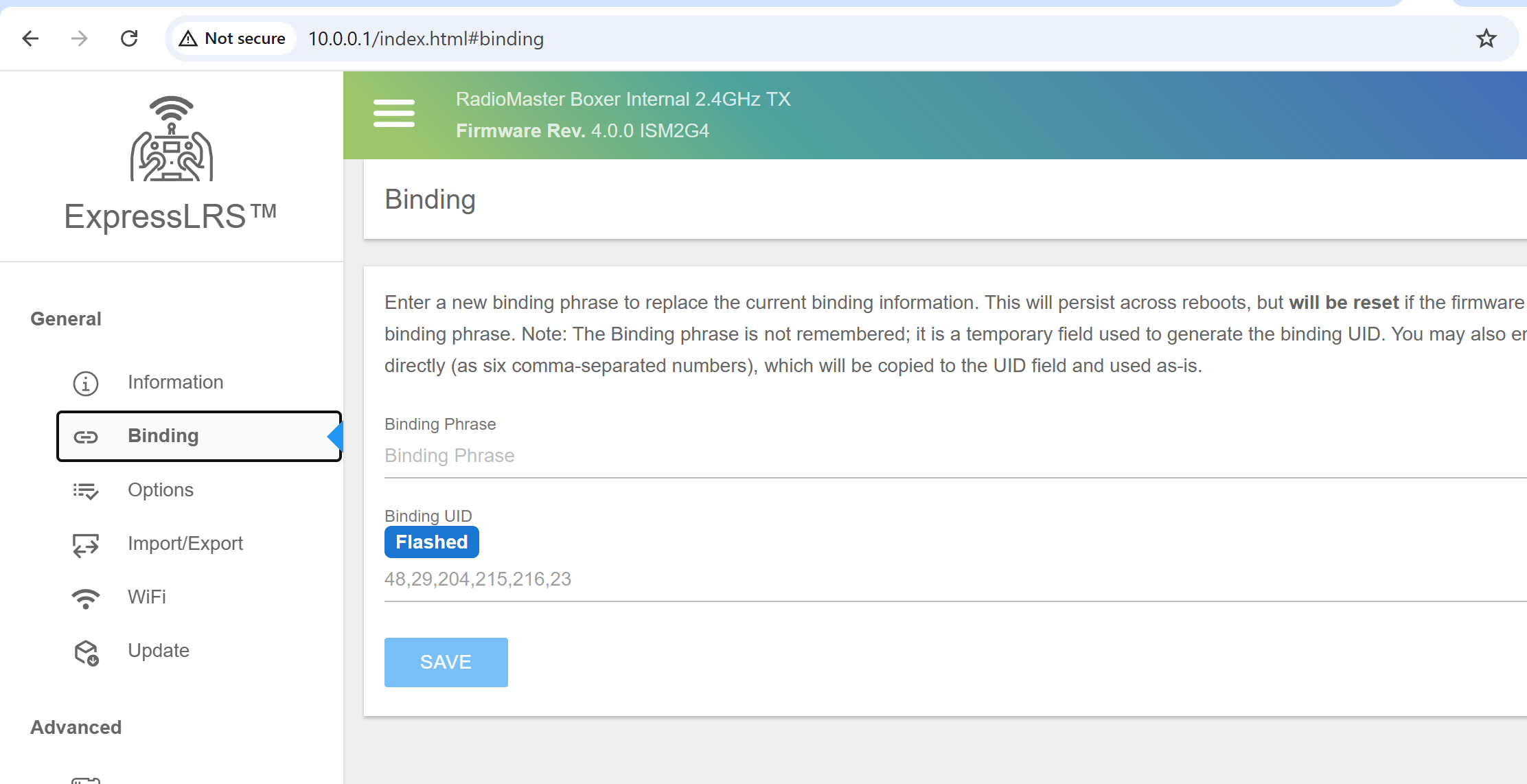
ELRS 4.x
ELRS introduced a new web UI and so the location is slightly different - instead of it being under the Model tab, it's under the Binding tab.
Once you hit save, you're done - and you can exit WiFi connectivity on the transmitter by holding the RTN button. When the phrase is saved, it will not show in this menu - instead you will see a Binding UID is displayed and it will say "Overridden". The binding phrase itself is not remembered by the device, it it simply used to generate a new binding UID which is what is actually used by the system.
Setting the Bind Phrase on your Receivers
The process for configuring the Binding Phrase on the receiver is very similar, however of course you cannot just click a button to enter WiFi mode - instead, by default the receiver will enter WiFi mode if it cannot bind for 60 seconds.
It is important to ensure that your quad does not overheat, in particular your VTX! Powering on your quad on whilst it is stationary on the bench can easily lead to it overheating, and being permanently damaged! You can reduce the risk of this by disconnecting your VTX, disabling your VTX if it has a power switch, dropping its power down to a very low level (aka "Pit mode"), or by placing the quad on a high powered fan so that the components have adequate air flow.
After 60 seconds your receiver should enter WiFi mode automatically and you will see a new WiFi network called "ExpressLRS RX". The password is also "expresslrs". From this point, setting the phrase is identical to on the TX, you simply set it via the web interface - and remember to hit save.
Struggling to get your TX and RX to bind? Of course double check your bind phrases are exactly matching, then check the ExpressLRS versions match, then check your regulatory domains match. The ELRS version doesn't need to match exactly, but major versions are not compatible, so 3.6.3 and 4.0.0 will not bind together. The regulator domain refers to FCC/LBT firmware options, if one device's version string is similar to 3.6.3 and the other is LBT_3.6.3 then these are incompatible - you will need to flash one side so that they both match.
LBT is short fort "Listen Before Talk", which is generally a requirement in the EU, where the device much listen to the frequency before transmitting to minimise the likelihood of interference.
SPI Receivers
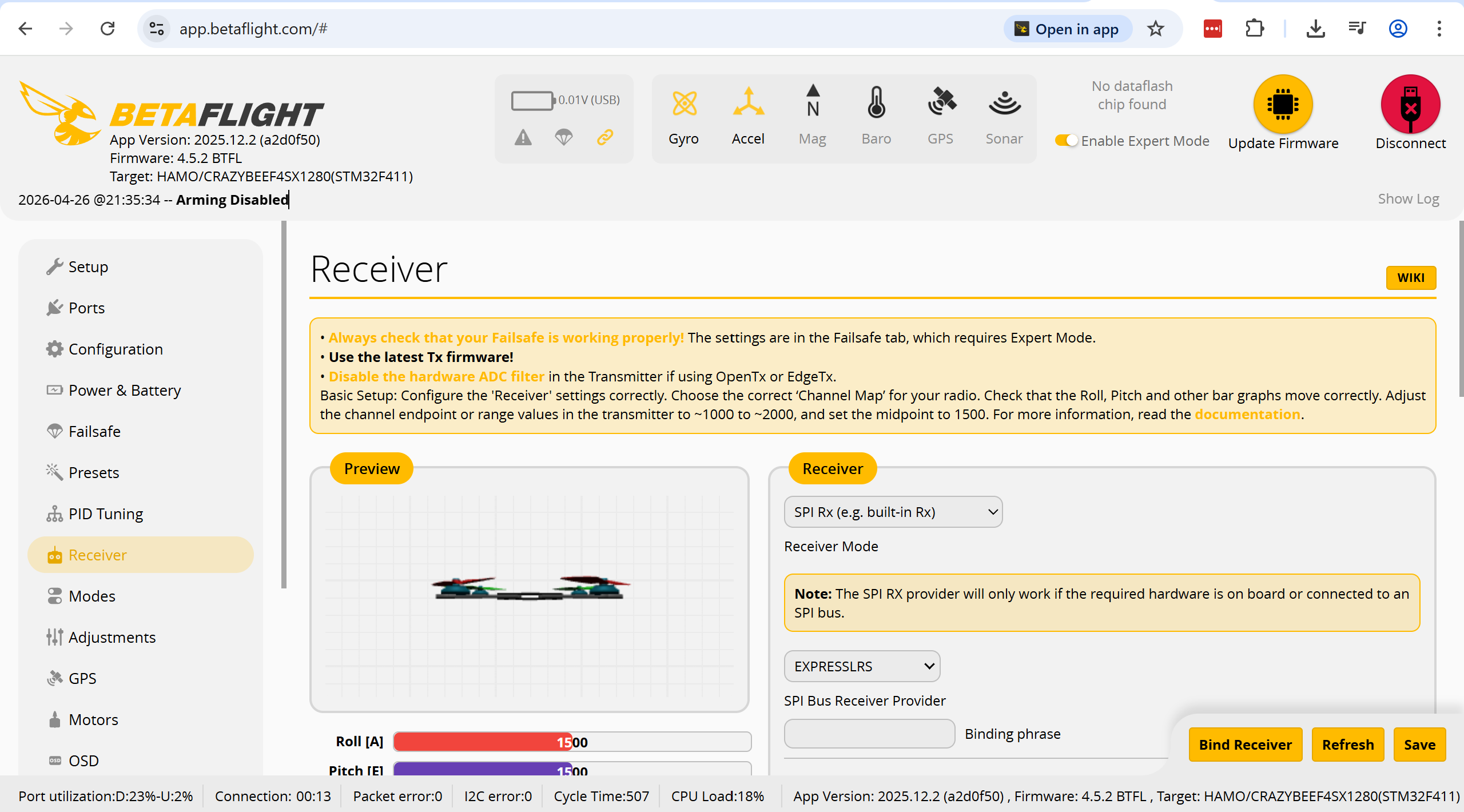
A small number of flight controllers (FC), particularly All-in-One (AIO) FCs, such as those found on some micro whoops, may utilise an "SPI Receiver". These cannot be flashed or configured in the standard way. Therefore, the guidance above about setting a Binding Phrase will not work. Instead, the Binding Phrase for these receivers is set within BetaFlight into the Receiver tab. This is shown below, you can see the Binding Phrase option at the bottom of the screen on the right - don't forget to hit save after changing it.